AI Health Apps Explained
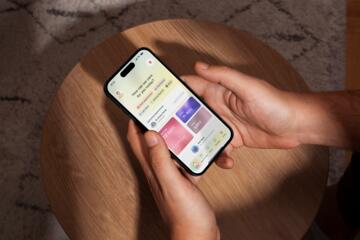
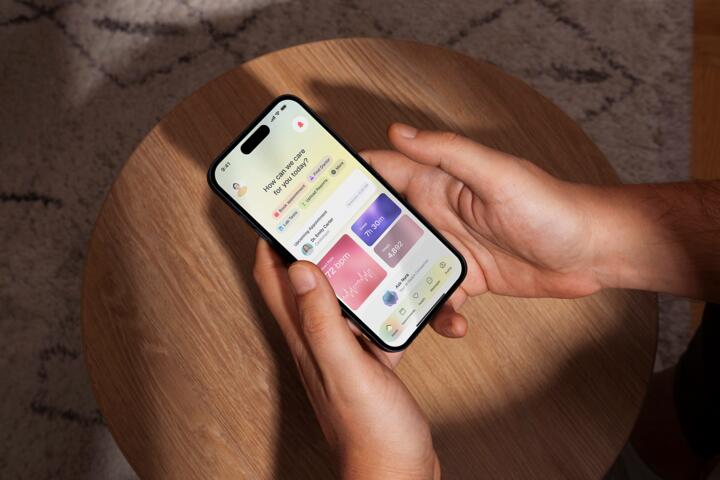
AI health apps use machine-learning models to interpret inputs such as text (symptoms), sensor data (heart rate, sleep stages), images (skin photos), or device measurements (blood pressure). The app then produces outputs like trend lines, risk estimates, reminders, or suggested next steps. Some apps focus on behavior tracking, such as activity goals or sleep consistency. Others attempt clinical triage, such as “what might be going on” from symptom descriptions.
In practice, the same technology can appear in different roles. A sleep-tracking app that estimates sleep duration from accelerometer patterns behaves like a wellness tool. A symptom checker that claims to identify urgent conditions and directs users to seek emergency care behaves more like a clinical decision support tool. The difference matters because the higher the clinical risk, the higher the expectations for validation, monitoring, and regulatory oversight.
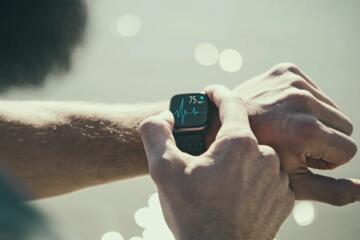
Many apps sit in between. For example, an app may flag irregular heart rhythms from wearable signals and encourage medical follow-up. That output can be useful, but it also creates a pathway for false alarms or missed problems. Understanding how the app was trained, what it measures, and what it is allowed to claim helps readers interpret results more safely.
Main Problems And Pain Points
People often treat AI outputs as if they were direct medical measurements. A model that estimates “sleep stages” from movement cannot see brain activity the way an electroencephalogram does. Similarly, a model that predicts “risk” from limited inputs may not capture key factors such as medication effects, comorbidities, or exam findings. When users assume the output is equivalent to clinical testing, they may delay care or overreact to false positives.
Another common issue is mismatch between the app’s training population and the user’s context. Models can behave differently across age groups, skin tones, body types, device models, and baseline health conditions. For instance, wearable heart-rate algorithms can be less accurate during high motion or low perfusion states. If an app was validated mainly in one group, its error rates may be higher in others.
Symptom-checker apps also face a fundamental limitation: symptom descriptions are incomplete and ambiguous. Users may omit red-flag symptoms, misinterpret sensations, or enter vague terms. The model then works with noisy text rather than clinical history. Even when the app uses careful logic, it can only approximate the reasoning a clinician performs with physical exam data and lab results.
Data handling creates additional risk. Many apps rely on cloud processing, third-party analytics, or device integrations. If privacy practices are unclear, users may share sensitive health information without understanding retention, secondary use, or data sharing. If the app changes its model over time, earlier outputs may not match later behavior, which complicates long-term interpretation.
Finally, users may confuse “personalization” with medical reliability. A model that adjusts recommendations based on user-entered history can still be wrong if the underlying evidence base is weak or if the app’s claims exceed what the model can support. Biological mechanisms behind errors include limited feature coverage, measurement noise, and thresholding decisions that trade off sensitivity and specificity.
Solutions And Recommendations
Check The App’s Intended Use
Look for clear statements about what the app is designed to do. Wellness-oriented features often describe tracking and education without diagnosing or directing urgent care. Clinical decision-support features should describe the conditions they address, the input types they require, and the actions they recommend. In practice, a safer approach is to treat the app as a prompt for questions rather than a final answer, especially when symptoms are new, severe, or worsening.
Why this works: intended use aligns with the level of validation and the risk the app is designed to manage. What it looks like in practice: a symptom app that covers a narrow set of complaints and provides “seek urgent care if…” guidance is easier to interpret than an app that claims broad diagnostic coverage from minimal inputs. Relevant tools: app store descriptions, in-app “About” pages, and regulatory labeling where available.
Realistic outcome expectations: even well-designed tools can produce false alarms or miss conditions outside their scope, so the goal is better triage decisions, not certainty.
Evaluate Evidence And Performance Limits
Search for information on how the model was validated. Look for details such as the type of data used (sensor signals, clinician-labeled cases, controlled images), the setting (primary care vs emergency), and whether performance metrics are reported for relevant subgroups. If the app only provides marketing language without measurable outcomes, treat the output as low-confidence guidance.
Why this works: performance depends on the match between training data and real-world use. What it looks like in practice: a wearable rhythm feature that specifies the signal quality requirements and the conditions under which it may be inaccurate. Relevant methods: reported sensitivity/specificity, positive predictive value in the intended population, and known failure modes like motion artifacts.
Realistic numbers: many consumer tools do not publish subgroup-specific error rates. When those numbers are missing, users should assume uncertainty is higher than for regulated diagnostic tests.
Use Outputs As Triage Prompts
Adopt a “decision support” mindset. If an app suggests a possible urgent issue, treat it as a reason to follow established red-flag pathways rather than waiting for the model to update. If an app suggests low risk, still consider whether symptoms fit a pattern that warrants medical evaluation based on duration, severity, and personal risk factors.
Why this works: clinical risk is driven by time course and context, not only by model scores. What it looks like in practice: using the app to decide whether to call a clinician, schedule an appointment, or seek emergency care, while also checking for classic warning signs such as chest pain with shortness of breath, sudden weakness on one side, or severe allergic reactions.
Relevant tools: symptom checklists from reputable health organizations, medication lists, and a symptom timeline you can share with a clinician. Realistic outcome expectations: the app may reduce missed opportunities for care in some cases, but it cannot replace clinical assessment.
Protect Privacy And Verify Data Flow
Review permissions and data practices. Check whether the app stores raw sensor data, uploads it to servers, or shares it with analytics providers. Look for options to limit sharing, delete data, or download your data. If the app integrates with wearables, confirm whether it uses identifiers that can be linked across services.
Why this works: privacy risks include unauthorized access, secondary use, and loss of control over sensitive information. What it looks like in practice: disabling nonessential permissions, using device-level privacy controls, and reading the privacy policy for retention time and third-party sharing. Relevant tools: device permission dashboards, privacy settings, and data export/delete features.
Realistic outcome expectations: privacy controls reduce risk but do not eliminate it, especially when data is processed by third parties.
Case Examples
Wearable Rhythm Alert
A 52-year-old uses a smartwatch feature that flags “possible irregular rhythm” after periods of low movement. The app shows a notification and asks the user to record symptoms and contact a clinician if certain criteria are met. The user follows up with a clinician for an in-person evaluation rather than relying on the app alone. The clinician explains that wearable signals can be affected by motion and skin contact, and that confirmatory testing may be needed.
Learning point: the app output can be a useful prompt, but it should not be treated as a definitive diagnosis.
Symptom Checker With Text Entry
A 28-year-old enters “sore throat and fever” into a symptom checker. The app provides a short list of possible causes and suggests home care for mild symptoms while advising urgent evaluation if breathing difficulty or dehydration occurs. The user tracks symptom duration and temperature, then seeks care when symptoms worsen after two days. The clinician uses exam findings and testing to guide next steps.
Learning point: text-based models depend on what the user reports and may not capture red flags unless the user enters them accurately.
Comparison Table: Wellness Vs Medical Device
| Feature | Wellness-Oriented App | Medical-Device-Like App | How To Interpret |
|---|---|---|---|
| Claim Type | Tracking, education, reminders | Diagnosis support, triage, detection | Treat outputs as guidance vs clinical decision input |
| Evidence Transparency | Often limited performance details | More likely to report validation context | Missing metrics raise uncertainty |
| Risk When Wrong | Usually lower immediate harm | Higher risk from false reassurance or false alarms | Use red-flag pathways regardless of app score |
| Data Inputs | Activity, sleep estimates, self-reports | Validated signals, defined measurement protocols | Check whether inputs match the app’s requirements |
| Action Guidance | General suggestions | Specific triage instructions | Follow urgent-care guidance when provided |
Common Mistakes
Users often ignore the app’s measurement conditions. Wearable sensors can require good skin contact, stable positioning, and minimal motion; otherwise, algorithms may misclassify signals. Symptom checkers can also fail when users enter incomplete information or omit key details like duration, severity, or relevant medical history.
Another mistake is “score chasing.” People may repeatedly refresh a model’s output in response to anxiety, which does not improve the underlying data quality. If the app uses thresholds, small changes in input can flip results, creating confusion rather than clarity.
Some users treat trend lines as causal proof. A correlation between app-detected sleep changes and next-day symptoms does not establish that the sleep change caused the symptoms. Biological systems involve multiple interacting factors, and symptoms can fluctuate for reasons unrelated to the tracked metric.
Finally, users may share app outputs without context. A screenshot of a risk score lacks the model’s scope, the input quality, and the app’s recommended actions. When contacting a clinician, it helps to provide the symptom timeline, what the app asked for, and the exact wording of any urgent-care advice the app gave.
FAQ
How can I tell if an AI health app is regulated?
Look for clear statements about regulatory status, intended use, and the specific claims the app makes. If the app describes diagnosis or detection with defined triage actions, it is more likely to be treated like a medical device than a wellness tracker, but the only reliable check is the app’s documented intended use and any regulatory labeling where available.
Are symptom checkers accurate for serious conditions?
Accuracy varies by condition, input quality, and the population used for validation. Text-based tools can miss red flags when users do not enter them or when symptoms are atypical, so urgent symptoms should be handled through established emergency pathways rather than waiting for app output.
Do wearable AI alerts mean I have a diagnosis?
Not necessarily. Wearable algorithms estimate patterns from sensor signals and can be affected by motion, skin contact, and device differences. Alerts are best treated as prompts for clinical evaluation when the app provides triage guidance or when symptoms warrant assessment.
Can AI apps change their behavior over time?
Yes. Some apps update models or thresholds after release. Without clear versioning and change logs, users may notice different outputs across time, which makes long-term comparisons harder.
What privacy risks should I consider?
Consider whether the app uploads raw data, how long it retains data, whether it shares information with third parties, and whether you can delete or export your data. Device permissions and privacy settings can reduce exposure, but they do not remove all risk.
Author's Insight
AI health apps can be useful when they match a narrow intended use, provide transparent limits, and guide users toward appropriate next steps. The biggest safety issue is not the presence of AI, but the gap between model outputs and clinical decision-making, especially when inputs are incomplete or sensor quality is poor. Readers can reduce risk by checking intended use, looking for validation context, and treating app scores as decision support rather than confirmation. Privacy review matters because health data is sensitive even when the app’s purpose seems “wellness.”
Key Takeaways
- AI health apps range from tracking tools to clinical decision support; the intended use and claims determine how to interpret outputs.
- Model errors come from measurement noise, incomplete inputs, and population mismatch, so app results should not replace clinical evaluation for serious or worsening symptoms.
- Use app outputs as prompts for action: follow red-flag guidance and share a symptom timeline with clinicians.
- Check privacy practices and data flow, especially when apps upload sensor data or process it through third parties.